Buy and Sell USDC With UPI, PIX, Bank Transfer and More
A simple on-ramp and off-ramp guide: move money from your bank into USDC and back with UPI, PIX, Pago Móvil, QRIS and other local methods on P2P.me.

On this page
Getting in and out of crypto is often the hardest part for people in Latin America, Asia and Africa. The question is always the same: "How do I turn money in my bank into digital dollars (USDC), and how do I get it back when I need it?"
The usual answers involve international cards, surprise fees, or a chat group full of strangers with no guarantees. With P2P.me, moving money between your bank and USDC feels like a normal local transfer.
What are the on-ramp and the off-ramp?#
The on-ramp means turning your local currency into USDC: you pay from your bank or wallet and receive digital dollars. The off-ramp is the reverse: you sell USDC and receive local currency in your account.
On P2P.me you don't buy from or sell to the platform. You trade with a verified seller (a liquidity provider) on the network, and a smart contract protects the funds while the order is open. That's why P2P.me never needs to hold your money.
Countries and payment methods#
P2P.me connects USDC with each country's own payment rails, so you don't need an international card or a SWIFT transfer. Examples include:
- India: UPI
- Brazil: PIX
- Indonesia: QRIS and bank transfer
- Nigeria: bank transfer
- Argentina: bank transfer by CBU/CVU alias
- Venezuela: Pago Móvil
- Mexico: SPEI
Availability can change, so check the current list in the app. The same USDC balance works in every country, so if you live between two countries or support family abroad, you don't need a different app for each step.
An order usually takes a few minutes, depending on how many sellers are active at that moment. Before you confirm, the app shows the amount you'll pay or receive and the fee.
How to buy USDC with your bank (on-ramp)#
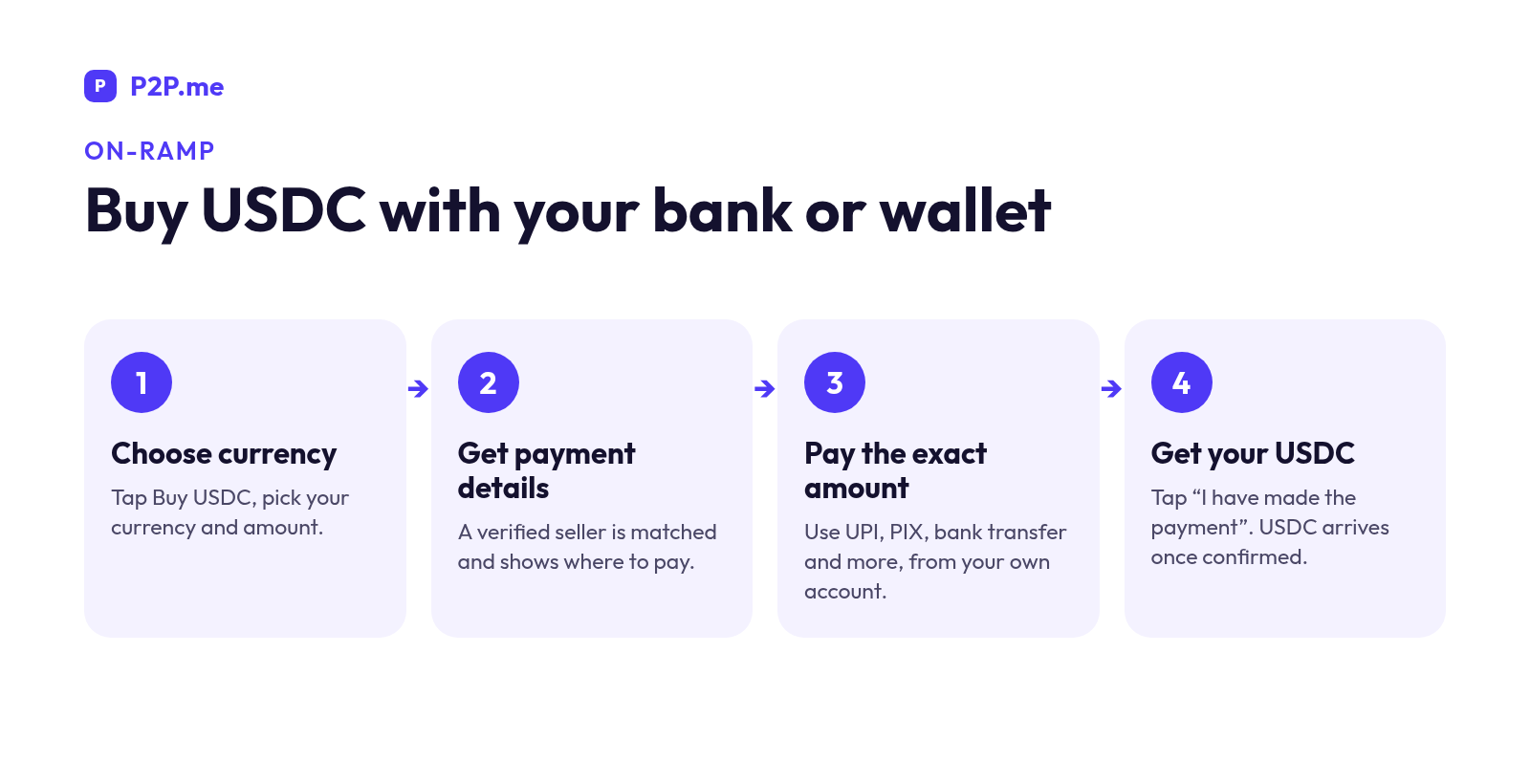
- Choose your currency and amount. Open p2p.me, tap Buy USDC, pick your currency (INR, BRL, ARS, IDR and so on) and enter the amount.
- Get the payment details. The protocol matches you with a verified seller and shows where to pay: a UPI ID, a PIX key, a QRIS code or a bank alias.
- Pay the exact amount from an account in your own name, like any everyday transfer.
- Tap "I have made the payment". Once the seller confirms, your USDC arrives in your wallet.
How to sell USDC and get paid to your bank (off-ramp)#
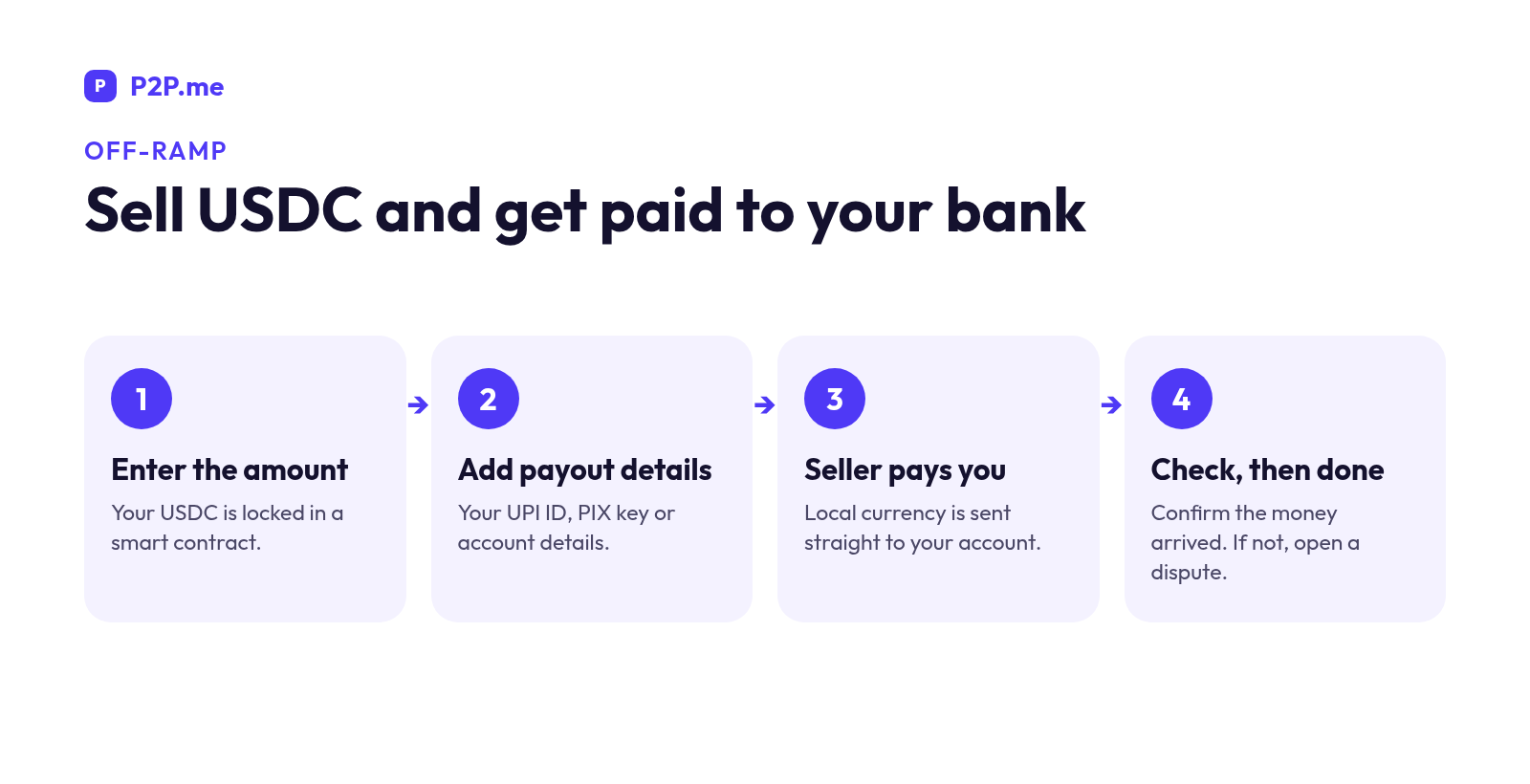
- Enter the amount of USDC you want to sell. It's locked in the smart contract while the order is open.
- Add your payout details, for example your UPI ID, PIX key or Pago Móvil details.
- The seller pays you in local currency, straight to your account.
- Check that the money arrived. If it hasn't and the order shows Completed, open a dispute from the order.
Tips for an error-free trade#
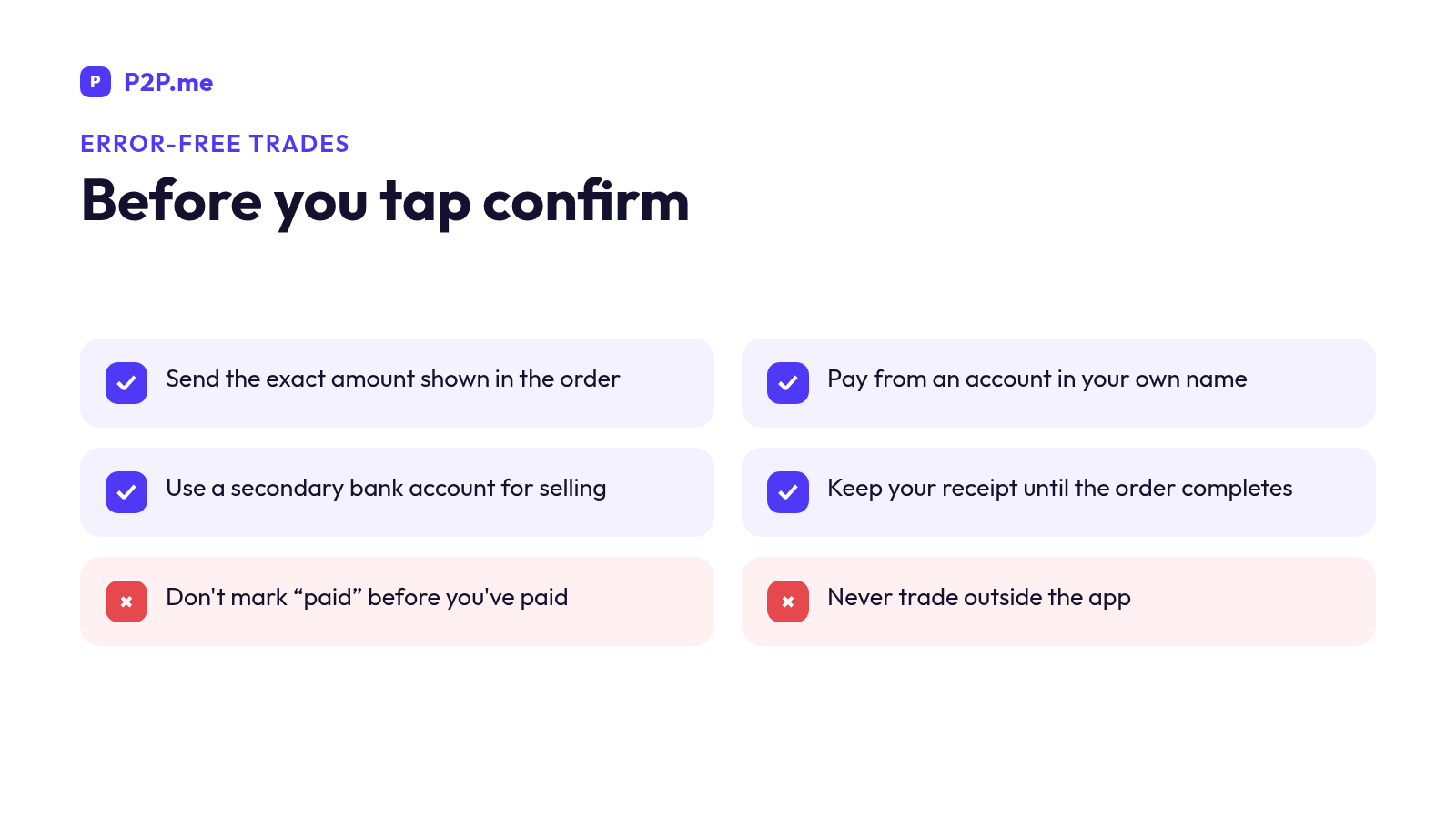
- Exact amount, right details. Send exactly the amount shown, to the details in the order. A different amount, or a payment from someone else's account, can delay confirmation or lead to a dispute.
- Only tap "paid" after you've paid. Marking an order as paid without paying can get buying paused.
- Keep your receipt until the order is complete, and don't close the order early.
- Use a secondary bank account for P2P selling instead of your main account. It keeps your records clean and protects your main account.
- Your wallet holds USDC on Base. If you move USDC in from an exchange, always choose the Base network.
- Stay in the app. Official support never contacts you first on WhatsApp, Telegram or by phone.
Frequently asked questions#
Can I buy USDC with UPI or PIX?#
Yes. Choose your currency, P2P.me matches you with a verified seller, and you pay them with UPI, PIX or another method available in your country.
How long does it take to sell USDC and receive the money?#
It usually takes a few minutes, depending on how many sellers are active at that moment.
What happens if I pay and don't receive my USDC?#
Open a dispute from the order and attach your receipt. While the case is reviewed, the funds stay protected in the contract. If the dispute is resolved in your favor, the protocol returns the funds automatically.
Are there limits?#
Yes, per-order limits depend on your country and verification level. You can see yours on the My Limits screen in the app.
Move your money with less friction#
Going from your bank to digital dollars doesn't have to be complicated. Check the methods in your country and start on P2P.me.
This content is for informational purposes only and does not constitute financial advice. Digital assets involve risks. Check the terms and availability in your country before trading.
More in Community
View all
India Bank Freeze Protection: 100% USDC Refund via unfreeze.pro
For Indian users, P2P.me refunds 100% of a P2P.me transaction in USDC if it leads to a bank freeze or lien. Here's who's covered, the conditions and how to file at unfreeze.pro.
Sheldon Cooper5 min read
How Disputes Work on P2P.me: Timers, Proof and Refunds
Paid but the order was cancelled? Money didn't arrive? Here's how P2P.me order timers, disputes, proof, appeals and automatic refunds work, step by step.
Sheldon Cooper6 min read
P2P.me Limits Explained: Why They Start Low and How to Raise Them
Why new P2P.me accounts start with low limits, what the per-order and yearly caps are, and the simple ways to raise your limits with verification, staking and trading.
Sheldon Cooper5 min read